ChatPachi
A downloadable tool for Windows
Chat becomes a pachinko machine.
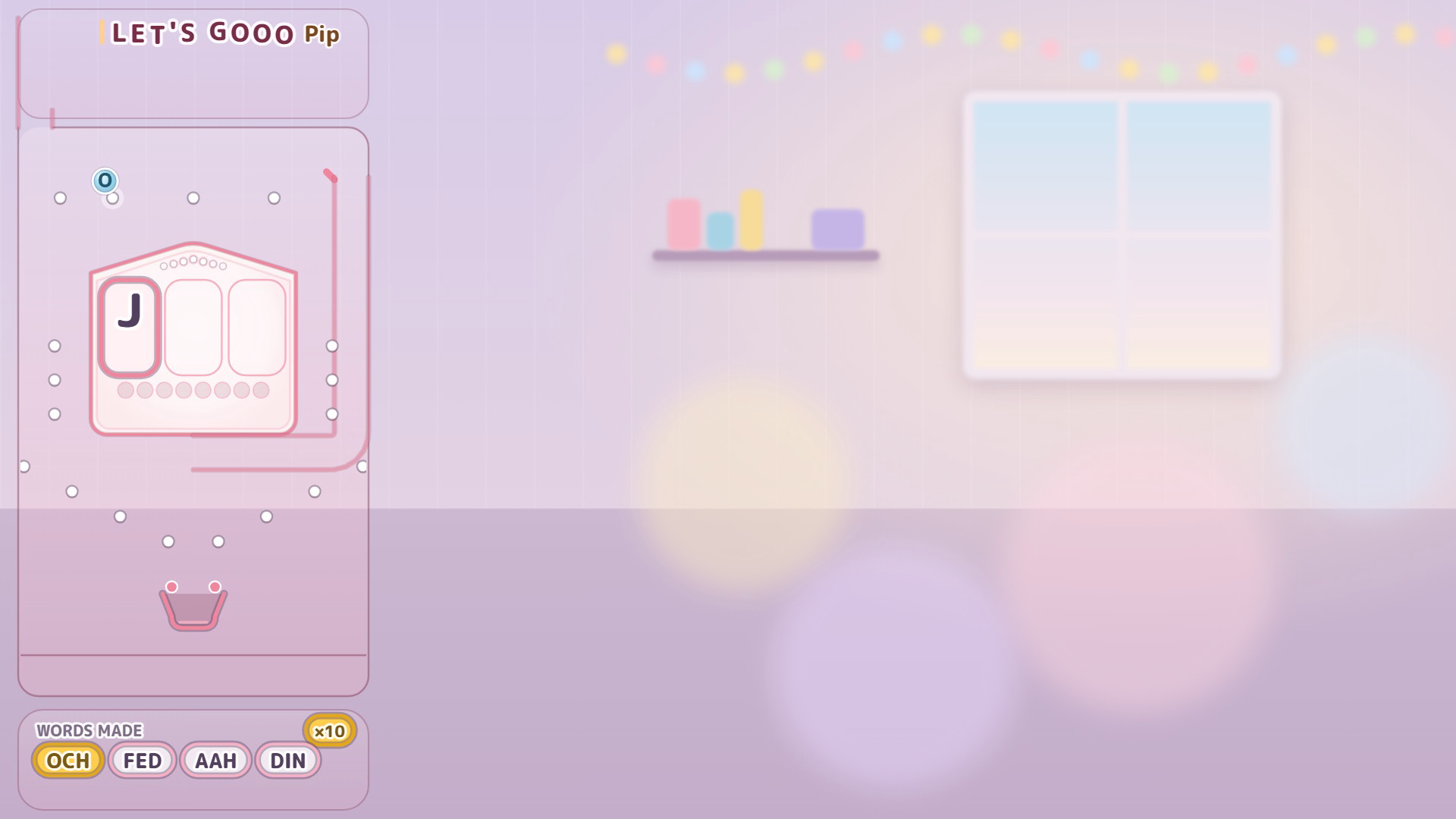
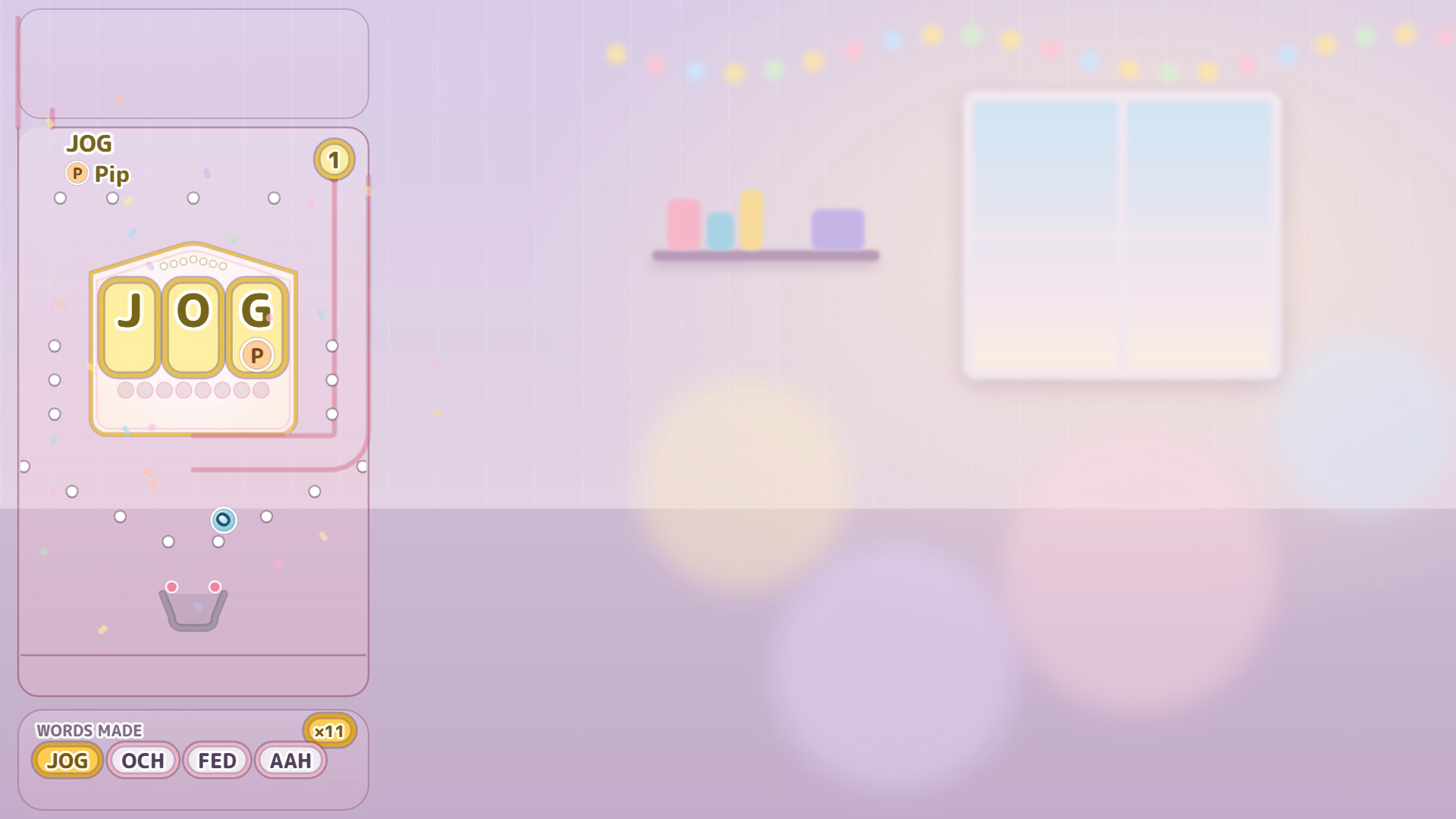
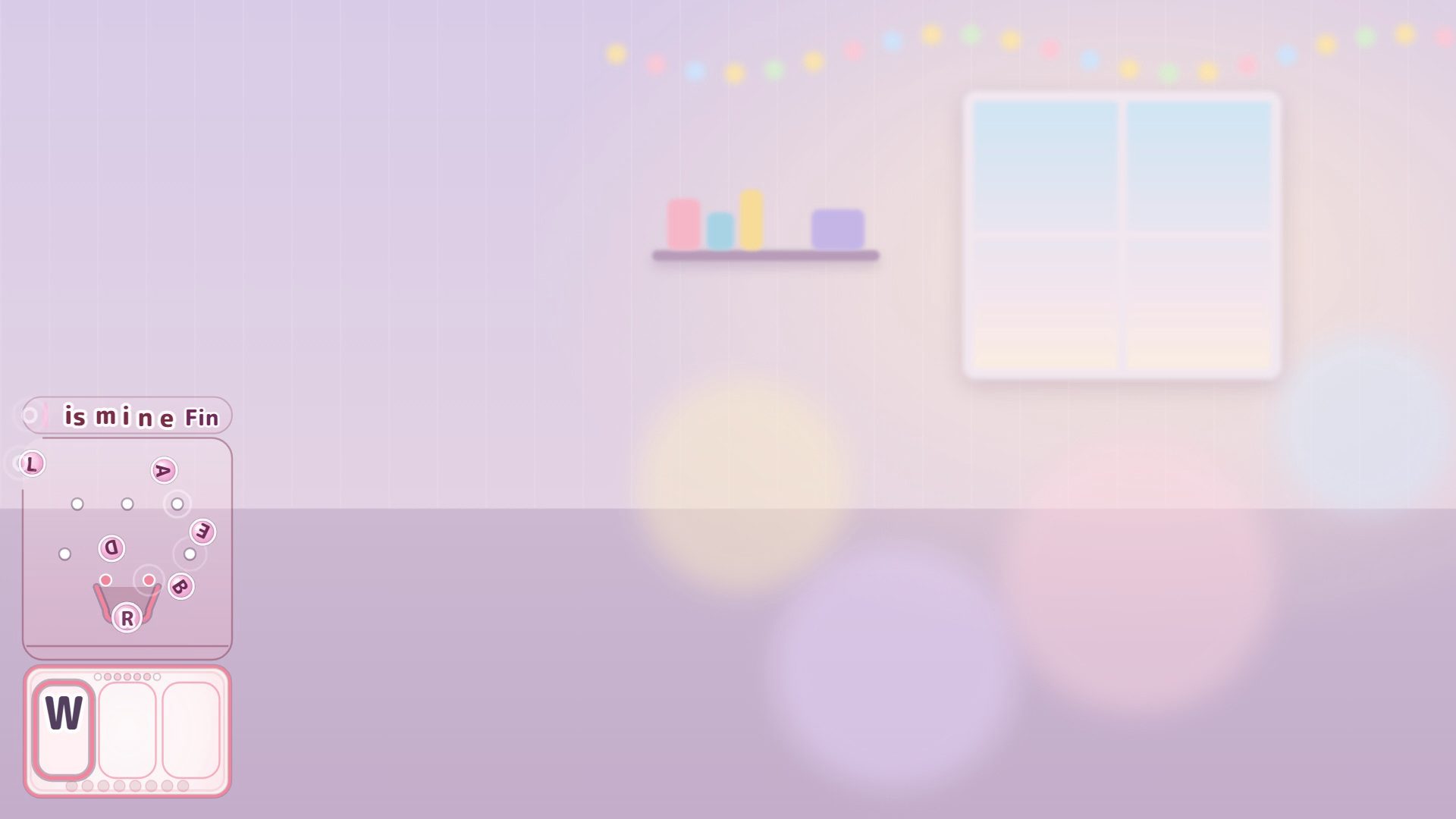
Your viewers' chat messages scroll across the top of the machine. When a message reaches the left end, each letter becomes a ball and drops into the board. Balls that land in the center pocket fill the three slots on the display.
- When the three letters make a word: HIT! (a short DROP TIME)
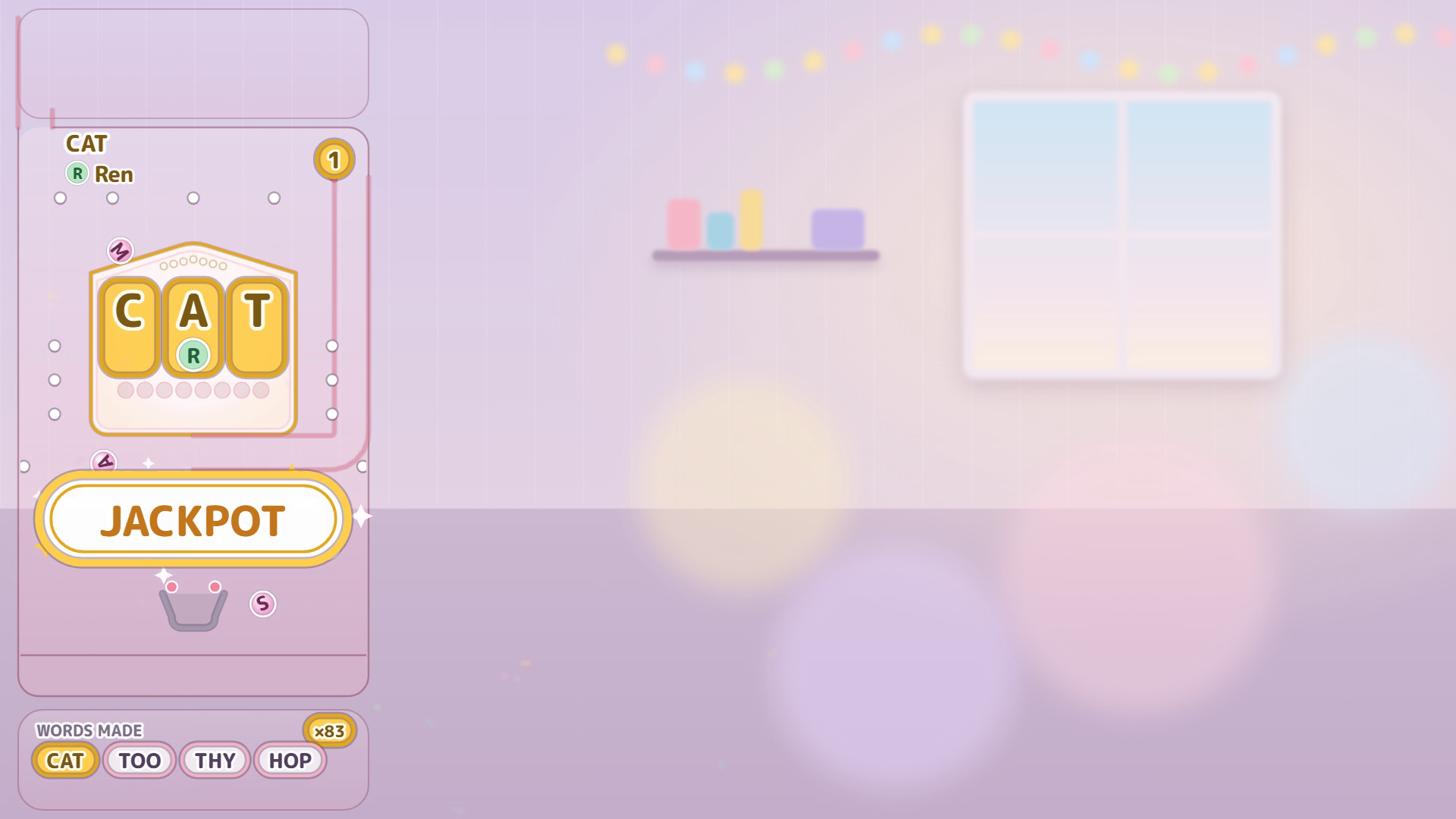
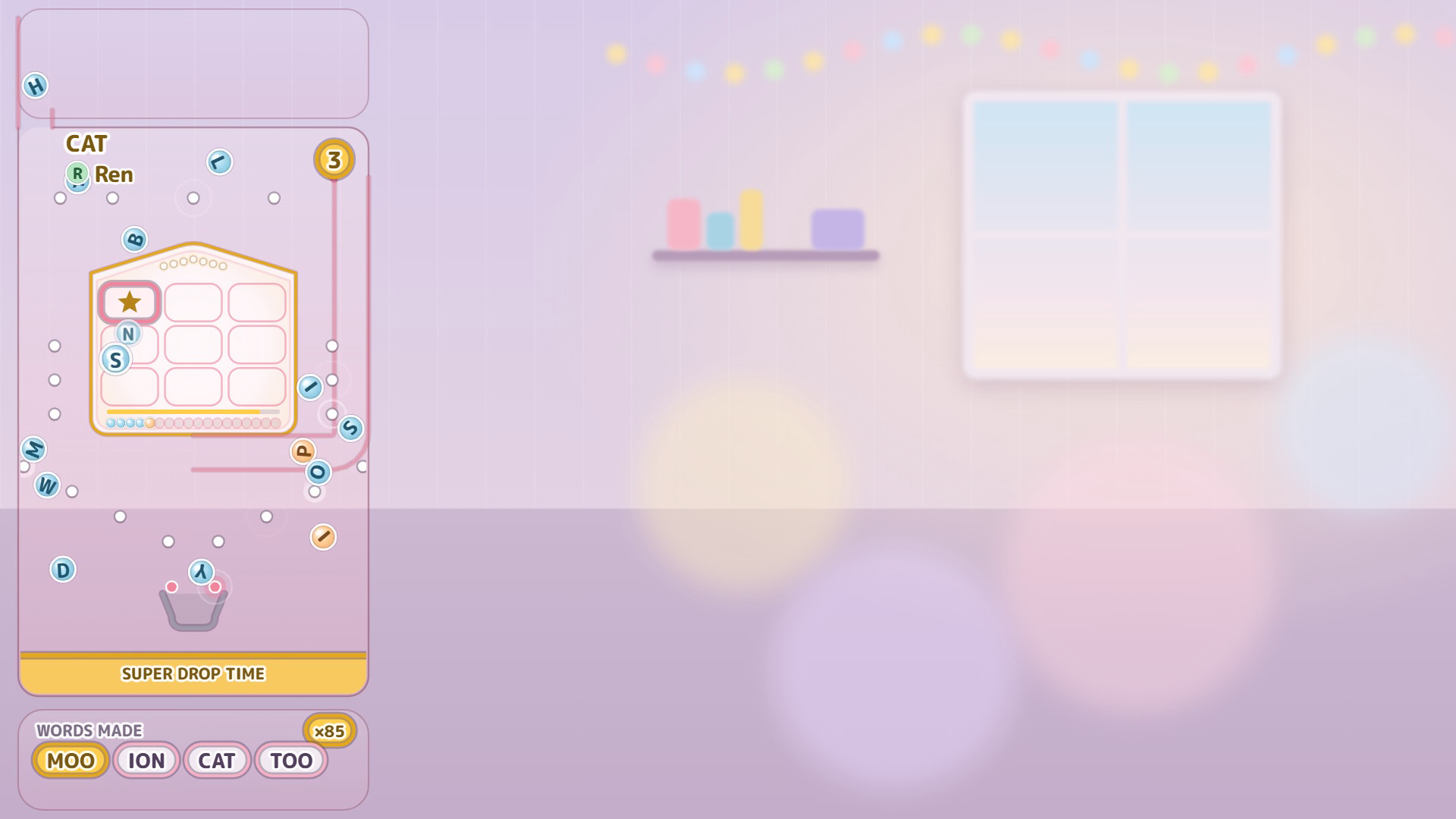
- When the word is one of your jackpot words: JACKPOT (a longer SUPER DROP TIME)
Nobody has to learn a game. People just chat, and now and then the room makes a word together.
ChatPachi is an overlay for OBS Studio. Compatible with Twitch chat. It runs from files on your own PC: there is no server and no account to make with us.
Free demo and paid version
Please try the free demo first (the download marked as a demo on this page). It is the same machine, with no time limit.
What the free demo does not do:
- The only jackpot word is WIN, so a JACKPOT is rare.
- You cannot add your own words.
- There is no giveaway.
- There is no adult mode.
What the free demo does:
- The whole game: HIT!, and JACKPOT when the room spells WIN.
- The built-in word list in three sizes: Common, More and All. More words means more wins. You can look through the list.
- Two sizes of machine: Standard (the left third of the screen) and Compact. Letters and balls stay the same size; only the machine gets smaller.
- Balls keep falling when chat is quiet (you choose how many per minute; 0 stops the board).
- Chat from your Twitch login or from Streamer.bot, including Twitch Shared Chat.
- Each time a word is made, ChatPachi can run a Streamer.bot action with the word.
- Setup in OBS: add the browser source automatically, or paste one URL by hand.
The paid version ($5.99) adds:
- Jackpot words. Put a star on any word in the list, and it becomes a JACKPOT when the room spells it. More stars, more jackpots.
- Add words. Put your catchphrase, a running joke or a regular's name in the dictionary (3 letters, A to Z). Words you add can always be matched.
- Giveaway. Viewers who type your entry phrase join. Everyone's balls carry the letters of the winning word, and whoever lines up all three wins. Only your own chat messages can start and stop it, and a dock in OBS shows the entrants.
- Adult mode. Decide what happens when a sensitive word is spelled. It is there to keep such words off your stream: while it is off, they do nothing at all.
To move from the demo to the paid version, unzip it over the same folder. Your settings stay.
Getting started
- Unzip the download and put the folder somewhere you won't delete it.
- Double-click setup.html and follow the steps.
- Press "Save settings", then refresh the browser source in OBS.
README.txt in the download has the details.
What you need
- Windows
- OBS Studio 32 or later
- For chat, one of these: a Twitch account (you log in inside OBS, in the ChatPachi dock), or Streamer.bot (free, separate download) running on the same PC
What it can't do
- YouTube and Kick are not supported in this version.
- No text-to-speech and no sound effects. (With Streamer.bot, you can pass each made word to an action and have it read aloud there.)
- Windows only. It has not been checked on macOS or Linux.
- Words are three letters, A to Z. Digits, symbols, emoji and other scripts scroll past but do not become balls.
- Letters line up in the order they land. A different order is a different word.
- The "Save settings" button works in Chrome and Edge. In other browsers you download the settings file and put it in place yourself (setup.html shows how).
- If you run a giveaway, the laws where you live and Twitch's rules for giveaways are yours to check. ChatPachi does not handle prizes, addresses or contact details.
Checked with
Streamer.bot 1.0.7 / OBS 32.2.2 (obs-browser 2.26.9) / Windows 11
If a newer Streamer.bot or OBS doesn't work with ChatPachi, please let us know (section 11 below).
Privacy and your secrets
ChatPachi shows the chat it receives (display names, message text and profile pictures) on your stream. The only thing it saves is the giveaway list — for each entrant, their Twitch user ID, display name (and a form of it used for matching) and ball colour — plus how far the giveaway has got. It stays inside this OBS until you press reset in the ChatPachi dock. Message text and the giveaway list are never sent anywhere. To look up profile pictures, ChatPachi sends the Twitch user IDs of people who chat to Twitch. It talks only to Twitch (to receive chat and look up pictures), to the address Twitch gives for each picture (to load it), and, if you chose Streamer.bot, to Streamer.bot on this PC (127.0.0.1).
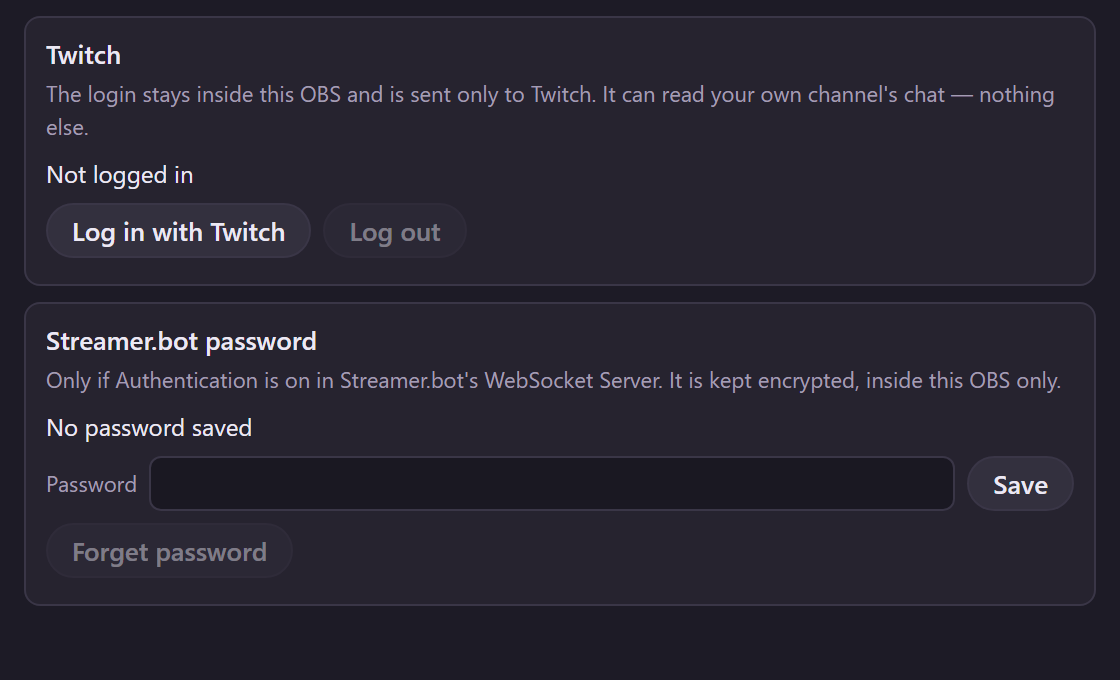
Twitch login: the token stays inside this PC's OBS (never in data/config.js or any file in this folder) and is sent only to Twitch. Its scope is user:read:chat, so it can read your own channel's chat and nothing else. Log out in the dock also revokes it on Twitch (if Twitch can't be reached, the dock says the revoke couldn't be confirmed).
Streamer.bot password: kept encrypted inside this OBS. Forget password in the dock deletes it. In Streamer.bot, keep the WebSocket Server address at 127.0.0.1.
Other local pages you open in the same OBS can read what ChatPachi keeps inside OBS. Don't open pages you don't trust in OBS.
Credits
Word list: made from SCOWL by Kevin Atkinson (http://wordlist.aspell.net/). Its copyright notice and permission are in data/scowl-COPYING.txt.
Word filter: partly from profanity-list by David Sojevic (MIT License). The notice is in data/adult-words.js and data/ng.js.
Font: M PLUS Rounded 1c (The M+ FONTS Project Authors, SIL Open Font License 1.1). See data/fonts/OFL.txt.
ChatPachi is an independent product and is not affiliated with, endorsed by, or sponsored by Twitch Interactive, Inc. or Streamer.bot. Twitch is a trademark of Twitch Interactive, Inc.
License, refunds and contact
The four sections below are the same text as sections 8 to 11 of README.txt in the download, and keep the same numbers.
8. License
One purchase is a license for one streamer. The free demo comes under the same terms.
You may:
- use ChatPachi on your own streams, including monetized streams, on any number of your own channels;
- show it in VODs, clips, social media posts and screenshots;
- change the files for your own use.
You may not:
- redistribute or resell the files, or share changed copies;
- lend or share your copy with someone else.
If more than one person streams with it, each streamer needs their own purchase. This also applies to teams, companies and agencies.
ChatPachi is provided "as is", without warranty of any kind. The author is not liable for damages arising from its use, or for giveaways you run with it and their results. OBS, Twitch and Streamer.bot may change in ways that stop ChatPachi from working; a fix is not guaranteed.
9. Refunds
Please try the free demo first. It runs the same machine, so you can check that ChatPachi works with your OBS before you buy.
ChatPachi is a digital download. As a rule, a purchase is not refunded once the files have been delivered.
If the files are broken, or ChatPachi does not work as described on the store page, please tell us (section 11) and we will try to fix it.
10. Your rights
Nothing in sections 8 and 9 limits the rights you have under the consumer law of the country you live in (for example, in the EU or the UK).
11. Contact
Questions and bug reports: post a comment on ChatPachi's itch.io page. (You need an itch.io account to post there.)
For anything you would rather not post in public -- your order, a refund, or if you have no itch.io account -- write to:
tabuchin.room@gmail.com
Please include the Version line from the top of this file, your OBS version, and whether your comments come from Twitch or Streamer.bot. English or Japanese is fine.
We cannot help with how to use OBS itself.
Version history
2026-10-05 0.1.0 First release
Purchase
In order to download this tool you must purchase it at or above the minimum price of $5.99 USD. You will get access to the following files:
Download demo
Leave a comment
Log in with itch.io to leave a comment.